
Code Server
AIO Sandbox includes a fully-featured VSCode Server (Code Server) that provides a complete cloud development environment accessible through your web browser.
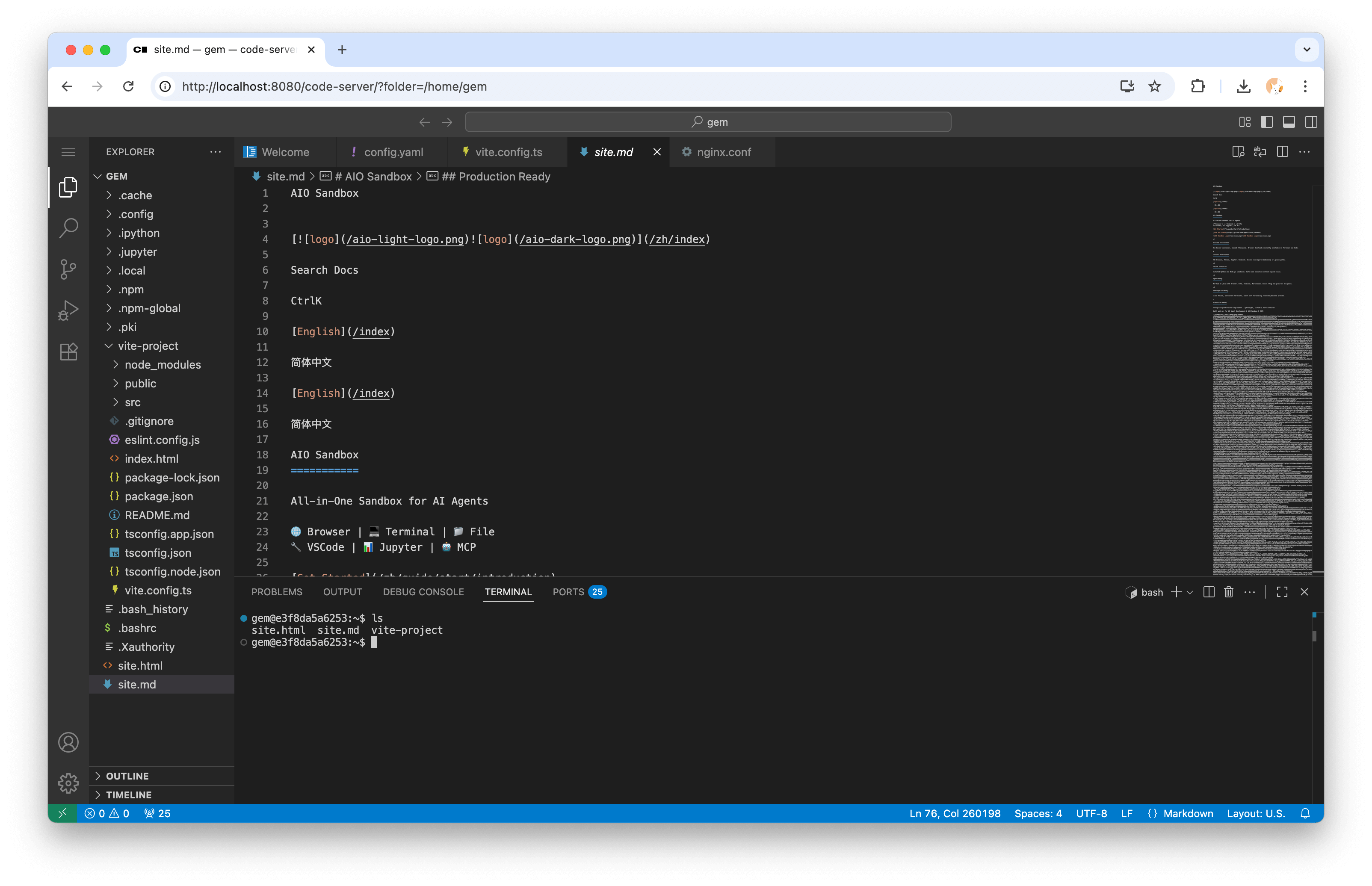
Access Code Server
The Code Server is available at:
No authentication required by default - immediate access to a full VSCode environment.
Features
Full VSCode Experience
- Complete VSCode interface in the browser
- Extensions marketplace access
- Integrated terminal
- Git integration
- IntelliSense and syntax highlighting
- Debugging capabilities
File System Integration
Access the same file system as other sandbox components:
- Files created in browser/shell appear instantly
- Edit files from API operations
- Work with downloaded files immediately
- Changes reflect across all interfaces
Development Tools
Pre-configured development environment:
- Node.js runtime
- Python interpreter
- Git version control
- Package managers (npm, pip, etc.)
- Development servers
Workspace Setup
Project Structure
Recommended workspace organization:
Opening Projects
- Navigate to Code Server interface
- Open folder:
/home/gem/projects/myproject - Use File → Open Folder or Ctrl+K, Ctrl+O
- Select project directory
Creating New Projects
Advanced Configuration
See Code Server Configuration for environment variables, extension installation, workspace behavior, and API-only deployment tips.